Setting up Booking Preferences
Tarun Muduganti

Controlling Inventory is an essential yet challenging process that operators deal with. In an effort to control inventory, there are 3 terms that we hear thrown around:
- Stop Sell - Helps to block a booking from being made
- Close To Arrival: Helps to prevent check-ins on the selected day
- Close To Departure: Helps to prevent check-outs on the selected day
This needs to be done for every property, every category and every OTA.
Why do we need to have Booking preferences?
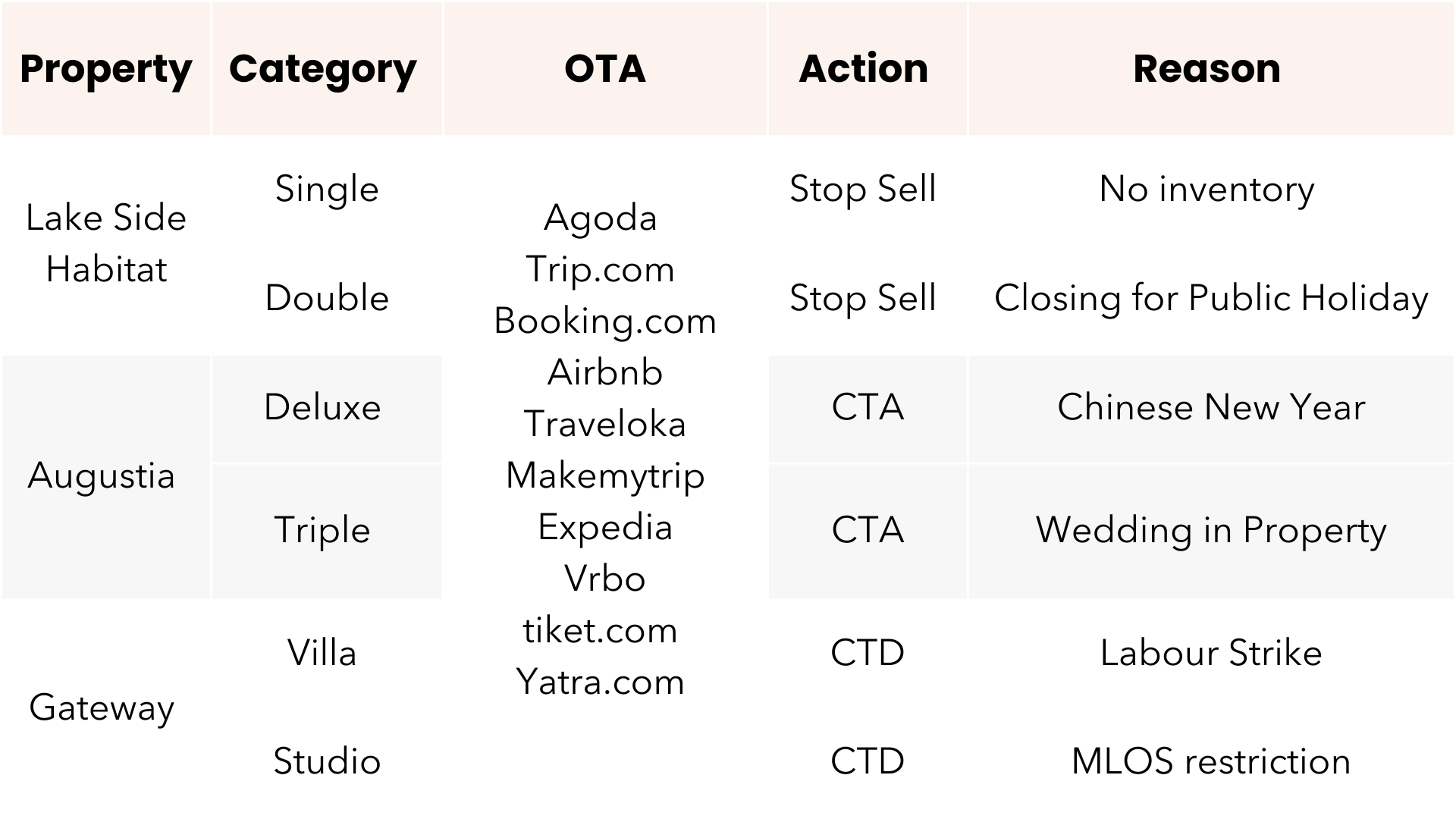
- No Centralized Way to control inventory across OTAs: Every Property managed, can have multiple categories, and can be connected to different OTAs.
Given that every category can have a different set of restrictions, that need to be updated on every OTA, the chance for error is too high.
Missing to update a restriction can lead to booking that flow in which in turn can result in loss of revenue or an operational nightmare.
How can we help make this process easier?
Our system has the capability to customize booking preferences based on every permutation and combination.
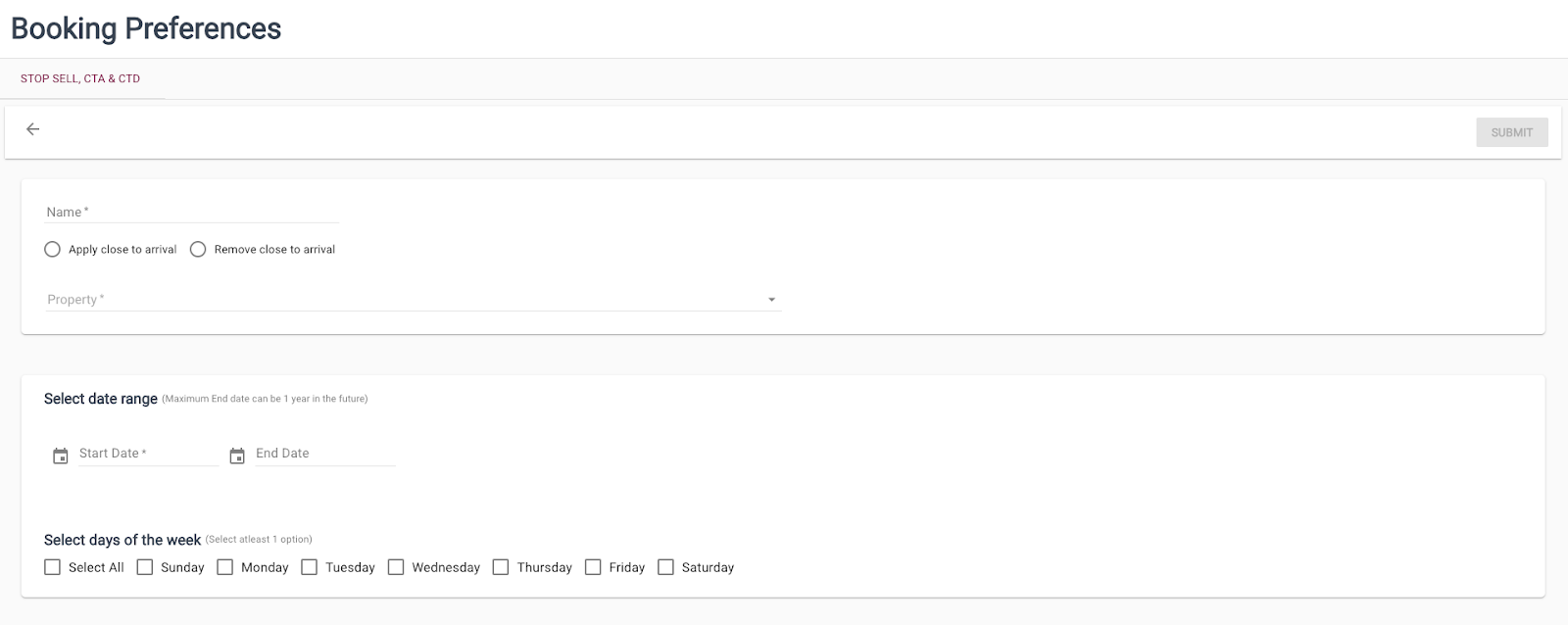
- Users can Apply and Remove Stop Sell, Close to arrival & Close to departures
- Select the Property for which this restriction applies
- Select one or many categories that are applicable
- Select an OTA for which the restrictions need to be updated
- Select Date Ranges and the days of the week for which the restriction applies.
Explore More

See what happens
when AI runs execution.
If your teams are stretched by noise, the problem is not intent. It is execution at scale. Let's fix it today.